
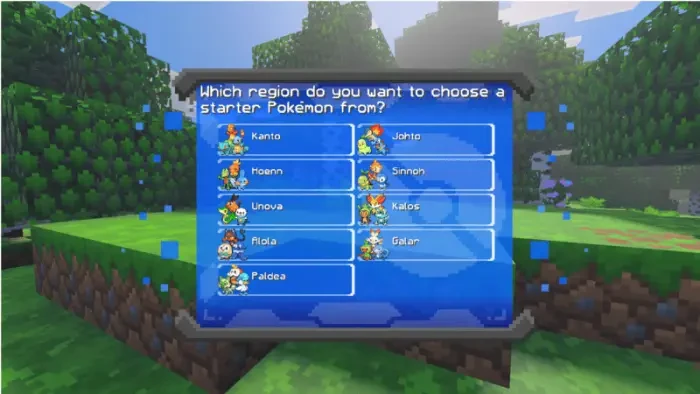
SERP Pokédrock is a Minecraft Bedrock addon that adds a complete Pokémon inspired gameplay loop. You start by selecting a region and a starter Pokémon. From there you receive a beginner kit and tools that help you begin your journey. Wild Pokémon appear across different biomes, trainers challenge you, and special villages with Pokémon Centers provide healing and important services.
The addon focuses on authentic mechanics. Battles follow a system similar to the original games. Pokémon can evolve through leveling, items, or trading. Many creatures can be ridden as mounts. There is support for Mega Evolutions, Dynamax, and a unique Boost mechanic that temporarily raises stats by spending experience points.
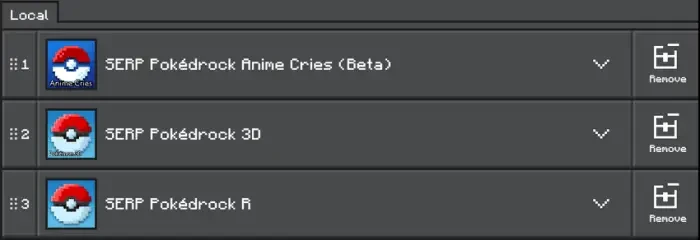
To enjoy the full experience you need to install the base behavior pack along with the matching 3D resource packs and any optional sound packs. The creator strongly recommends following the correct activation order for all resource packs so everything works properly.

Beginner’s Guide SERP Pokédrock
When you enter a new world the addon guides you through the first steps. Choose your favorite region and then select a starter Pokémon. You will receive your starter, a beginner kit, and two charges for your Pokévial. These tools help you begin catching and managing creatures right away.
If you ever need to reset your progress or fix data issues after an update you can use the command /pokereset @s. This clears your current data so you can start fresh.
Pokémon Centers appear in plains and desert biomes. These structures become important hubs. You can heal your team, access storage, and find useful services that support your adventure.
The Battle System
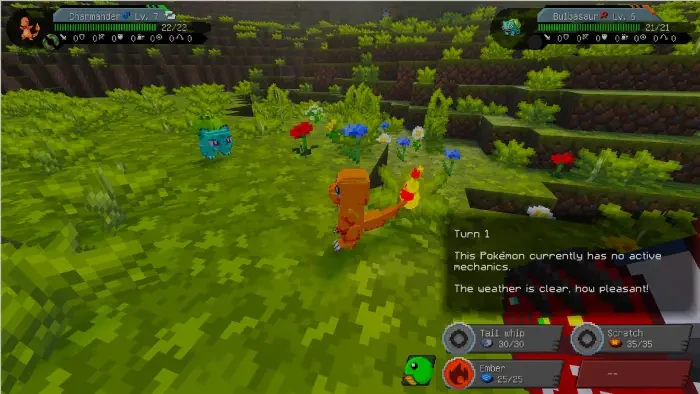
The battle system is one of the strongest parts of the addon. It closely matches the turn based style of the classic Pokémon games. You can start a fight by throwing one of your Pokémon at a wild creature while crouching and opening the menu, or by approaching a trainer.
Battles include Mega Evolutions and Dynamax. There is also a special Boost mechanic unique to this addon. Using Boost spends experience points to raise all of your Pokémon’s stats for three turns. This can turn a difficult fight in your favor when used at the right moment.
The system rewards careful team building and strategy. Different moves, types, and status effects play important roles just like in the original games.
Managing Your Team and Pokémon
Team management is handled through simple controls. Crouch and look at the ground to toggle selection mode. While in selection mode you can walk forward or backward to cycle through your party. Stand up to summon or store the selected Pokémon.
The PC system includes a pasture feature. You can send Pokémon out to roam. While grazing they slowly recover health, gain friendship, and may attack nearby monsters. You can call them back to your party or return them to storage later.
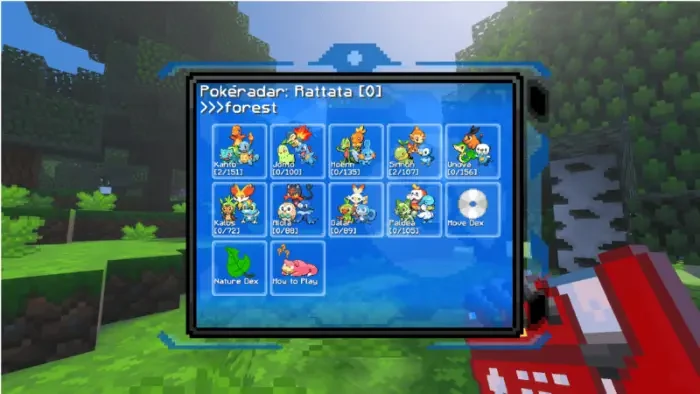
The Pokédex is a central tool. Use it to check evolution methods, test mounts, and view information about your creatures. Crouch and aim the Pokédex at a Pokémon to scan it and see extra stats. Scanning a Pokémon you have already caught reveals even more details.
A Pokéradar helps you locate nearby wild Pokémon. The Pokédex also includes a biome detector so you can search for specific creatures in the right environments.

Evolution, Breeding, and Special Features
Evolutions work in multiple ways. Many Pokémon evolve by gaining levels. Others require specific items such as evolutionary stones. Some need trading or special conditions. All methods are listed in the Pokédex so you always know what is needed.
Eggs come in different rarity levels including Common, Unusual, Peculiar, Exceptional, and Extraordinary. Rarer eggs offer better chances at strong Pokémon but also carry a higher risk of failing during incubation.
Berry plants appear in Pokémon villages. You can plant seeds and craft useful items from the harvest. Apricorn plants grow naturally in the world and their fruit can be turned into different types of Poké Balls.
While mining you will discover special ores that contain evolutionary stones, Mega Stones, Key Stones, and Wishing Stars. These materials are essential for progressing and unlocking stronger forms.
Travel, Storage, and Life Tools
Transportation options make exploration easier. Bikes and the Ride Pager can be obtained from the Game Corner. These tools help you cross long distances and reach higher or harder to access areas.
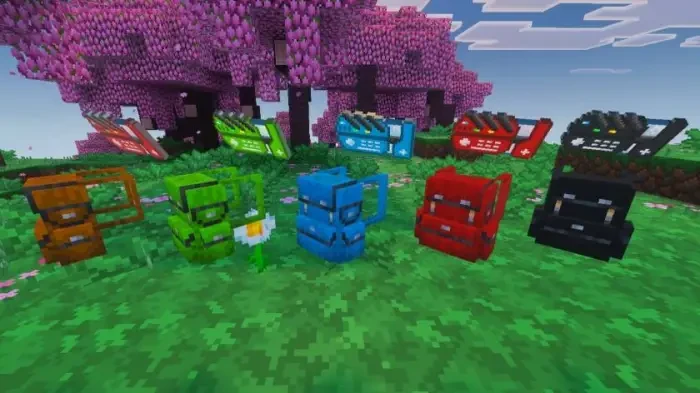
Backpacks function like extra storage while also providing armor when worn in the chestplate slot. You can paint both your Pokédex and backpack for personalization.
These quality of life features make the world feel more connected and reduce the friction of traveling and managing inventory.
Installation
Download the SERP Pokédrock addon from official sources such as CurseForge or MCPEDL. Activate the packs in the correct order as recommended by the creator. Enable any required experimental features if the current version asks for them.
Join the official SERP Pokédrock Discord server for the latest news, bug reports, and development updates. The community and creator regularly share information about new features and fixes.
Creator Credit: This article is an independent review and guide. All screenshots and official links are used for informational purposes and to help readers find the original project. All rights to the addon, files, assets, and code belong to their respective creator. We do not redistribute or host the project files.
Important Links
| Link Description | URL |
|---|---|
| Official CurseForge Page | https://www.curseforge.com/minecraft-bedrock/addons/serp-pokemon-addon |
| Official MCPEDL Page | https://mcpedl.com/serp-pokemon-addon/ |
